AI Flat Sketch Generator
Choose a photo, generate your sketch, then review and download.
Try a sample garment
Drag & Drop or Browse
JPG, PNG, or WEBP (max 5MB)
Interactive example
From garment photo to editable flat sketch
Compare the photo with the generated flat, then inspect the SVG stitch details.
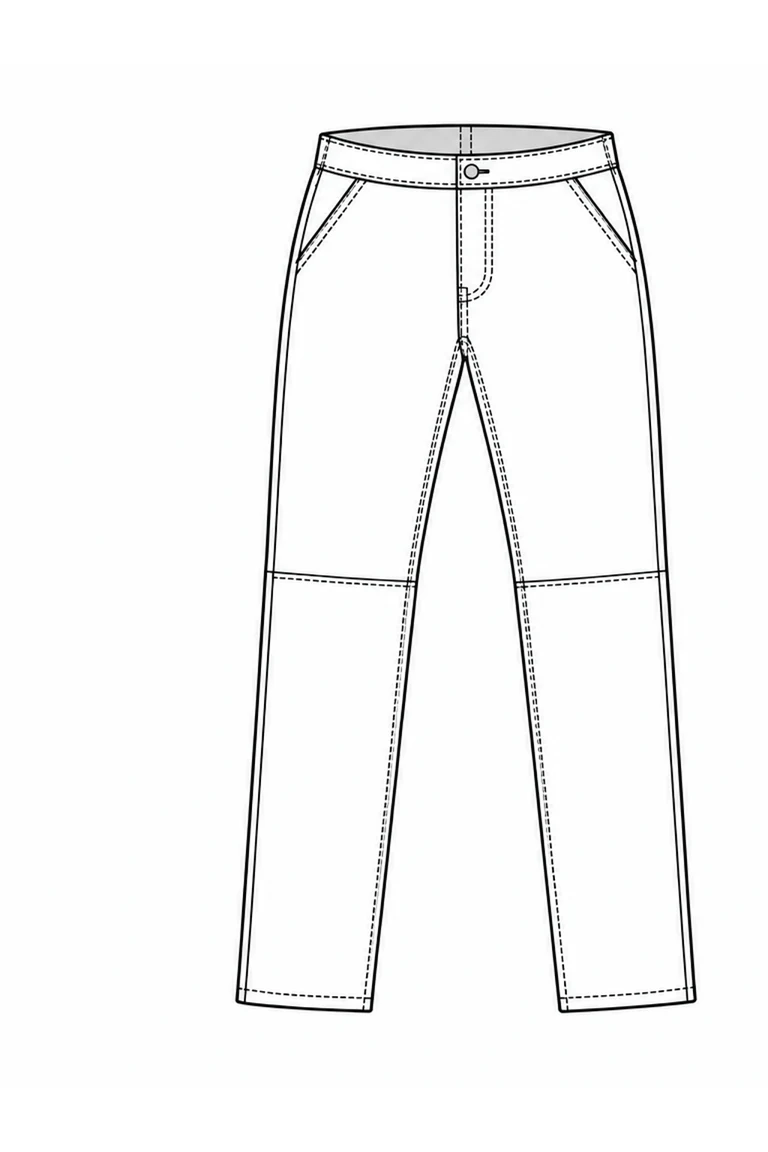
Generated PNG · Select a numbered detail to inspect the SVG.
Review the waistband, fly and pocket lines against the source photo.

Open in Illustrator to edit the linework. This is the generated output before manual editing.
Recent product updates
Improvements to output quality and the flat sketch workflow.
Flat sketch accuracy improvements
Recent flat sketch updates focused on cleaner outputs and better garment interpretation for production-ready results.
Read updateFlat Sketch Generator relaunch
The relaunched flat sketch workflow reflects a dedicated push on the commercial tool experience and output quality.
Read updateRegeneration upgrades for flat sketches
Earlier updates improved how flat sketches and placement-guide visuals can be regenerated after the first pass.
Read updateFrequently asked questions
An AI flat sketch generator turns a garment photo into a 2D technical flat that shows construction details like seams, stitching, and closures. Factories use flat sketches as the primary visual reference when producing garments.
Download PNG files to add the sketch to your techpack, or SVG vector files to edit the linework in software such as Adobe Illustrator. Review the garment details before sharing the sketch with your manufacturer.
You do not need drawing experience to get started. Upload a clear garment photo — front and optionally back — to generate a flat sketch. Review the result against your garment and refine any details that need changing.
Review the seams, stitching, pockets, closures and proportions, then add the PNG or SVG to your techpack as a visual reference. Include measurements, materials and construction notes so your manufacturer has the information needed to make the garment.
Yes. Choose the line vector SVG download and open it in Adobe Illustrator to select and edit the linework. The interactive example on this page lets you inspect a real SVG export before downloading the sample. Generated details may need refinement to match your garment.
Our AI produces flat sketches that capture the proportions, construction lines, and design details of your garment. For best results, upload a clear, well-lit photo on a plain background. You can regenerate or refine results if the first pass doesn’t match your expectations.
Your images are processed securely and used only to generate your flat sketch. We do not share your uploads with third parties. If you create an account, your saved flat sketches are stored privately in your dashboard for easy access.